

Wiki & Guides
Windrose
Pirate Survival · Co-op · Kraken Express · Kraken Express, Pocketpair Publishing
Configuring Windrose server settings
Configure a Windrose server: ServerDescription.json and WorldDescription.json explained — server name, password, player count, difficulty and combat multipliers.
Last updated July 16, 2026 · RespawnHost
On this page
Configuring a Windrose server
Windrose has no classic .ini file and no in-game options editor for servers. Instead, two JSON files control your server:
| File | Responsible for | Location |
|---|---|---|
ServerDescription.json | Connection: server name, invite code, password, player count | server root |
WorldDescription.json | Gameplay: difficulty, enemy and ship values | per world (under Saved/SaveProfiles/…/Worlds/) |
At RespawnHost you edit both conveniently through the File Manager or the config editor in the panel — SFTP works too.
Warning
Stop the server before editing a config file. A running server can overwrite your changes on its next save. After editing, save and restart the server.
ServerDescription.json — connection & access
This file lives in the server’s main directory and controls how and who connects:
| Field | Meaning |
|---|---|
ServerName | Your server’s name |
InviteCode | The code to join with — at least 6 characters, alphanumeric, case-sensitive |
IsPasswordProtected | true/false — extra password protection on/off |
Password | The password (only relevant if IsPasswordProtected is true) |
MaxPlayerCount | Player limit, maximum 8 |
Tip
At RespawnHost you don't have to hunt through the JSON for these — they're in the panel under Configuration → Startup variables (Server Name, Invite code, Server Password, Password Protected, Max players, WorldIslandID) as convenient input fields.
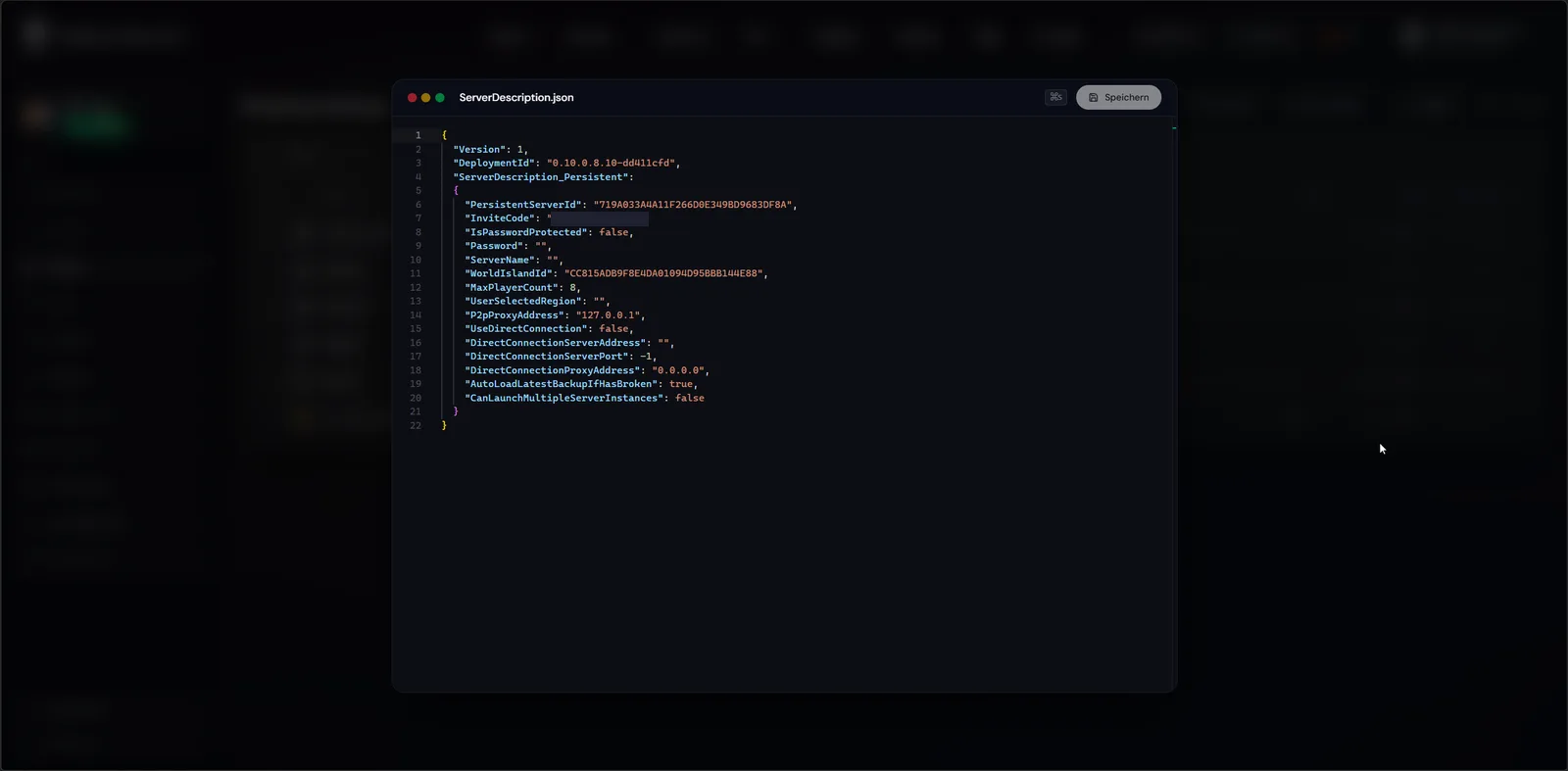
ServerDescription.json in the panel editor (invite code redacted for security)WorldDescription.json — difficulty & combat
Gameplay rules live per world in WorldDescription.json. The most important value is difficulty:
| Field | Values / range | Effect |
|---|---|---|
WorldPresetType / CombatDifficulty | Easy / Medium / Hard | Overall combat difficulty preset |
MobHealthMultiplier | 0.2 – 5.0 | Enemy hit points |
MobDamageMultiplier | 0.2 – 5.0 | Enemy damage |
ShipsHealthMultiplier | 0.4 – 5.0 | Durability of enemy ships |
ShipsDamageMultiplier | 0.2 – 2.5 | Damage from enemy ships |
BoardingDifficultyMultiplier | 0.2 – 5.0 | Difficulty of boarding fights |
CoopQuests | true / false (default true) | Co-op quests enabled |
EasyExplore | true / false (default false) | Easier exploration |
Note
The exact field names and ranges are community-documented (Steam guides, wikis) and may change with Early Access updates. If in doubt, check the actual contents of your WorldDescription.json — it's the most reliable reference for your build. In some versions the bundled R5WorldDescriptionUpdater.exe tool updates the world config.
A popular “relaxed” config
For laid-back co-op sailing with friends, this direction works well — weaker enemies, easier boarding:
"WorldPresetType": "Easy",
"MobHealthMultiplier": 0.7,
"MobDamageMultiplier": 0.7,
"BoardingDifficultyMultiplier": 0.6,
"CoopQuests": true,
"EasyExplore": true
Save, restart the server, done.
What Windrose does NOT have (yet)
Unlike some survival games, you’ll look for these options in vain — they simply don’t exist in the current Early Access build:
- No PvP/PvE toggle — Windrose is a pure co-op/PvE game; there’s no documented PvP mode.
- No custom world seed — worlds are based on a fixed
WorldIslandId, not an enterable seed. - No loot/XP rate multipliers — you control difficulty exclusively through the enemy/ship values above.
“Complete settings lists” with XP or loot sliders that circulate online come from auto-generated guide pages and don’t apply to Windrose.
Related guides
- Creating and setting up a server — basics and connecting
- Admin commands: what works (and what doesn’t) — why config is the only route
- Transferring your save — moving a RocksDB world
Your own Windrose server?
At 3 hours a day that is about €4.54 a month. Billed by the second: server off, costs off.
- No subscription, no minimum term
- Balance does not expire while your account exists
- Online in under 90 seconds