

Wiki & Guides
Valheim
Survival · Viking · Iron Gate Studio · Coffee Stain Publishing
Setting Up a Valheim Server: Step by Step to First Login
Set up a Valheim server in under 90 seconds: pick a package, set up the server, connect via crossplay or Steam — plus RAM recommendations and world import.
Last updated September 9, 2026 · RespawnHost
On this page
Rent a Valheim server: your own Viking server in 5 minutes
Valheim is at its best with friends on your own dedicated server: the world runs 24/7, nobody has to host, and up to 10 players explore together. This guide takes you from ordering to your first login.
How much RAM does a Valheim server need?
Valheim is more modest than most survival games:
| Setup | Recommendation |
|---|---|
| 2–5 players, vanilla | 2–4 GB RAM |
| Up to 10 players, vanilla | 4 GB RAM |
| Modded (Valheim Plus etc.) | 8 GB RAM+ |
More important than lots of RAM is high single-thread CPU performance (~3 GHz+) — our modern AMD Ryzen servers deliver exactly that.
Step 1: Order your server
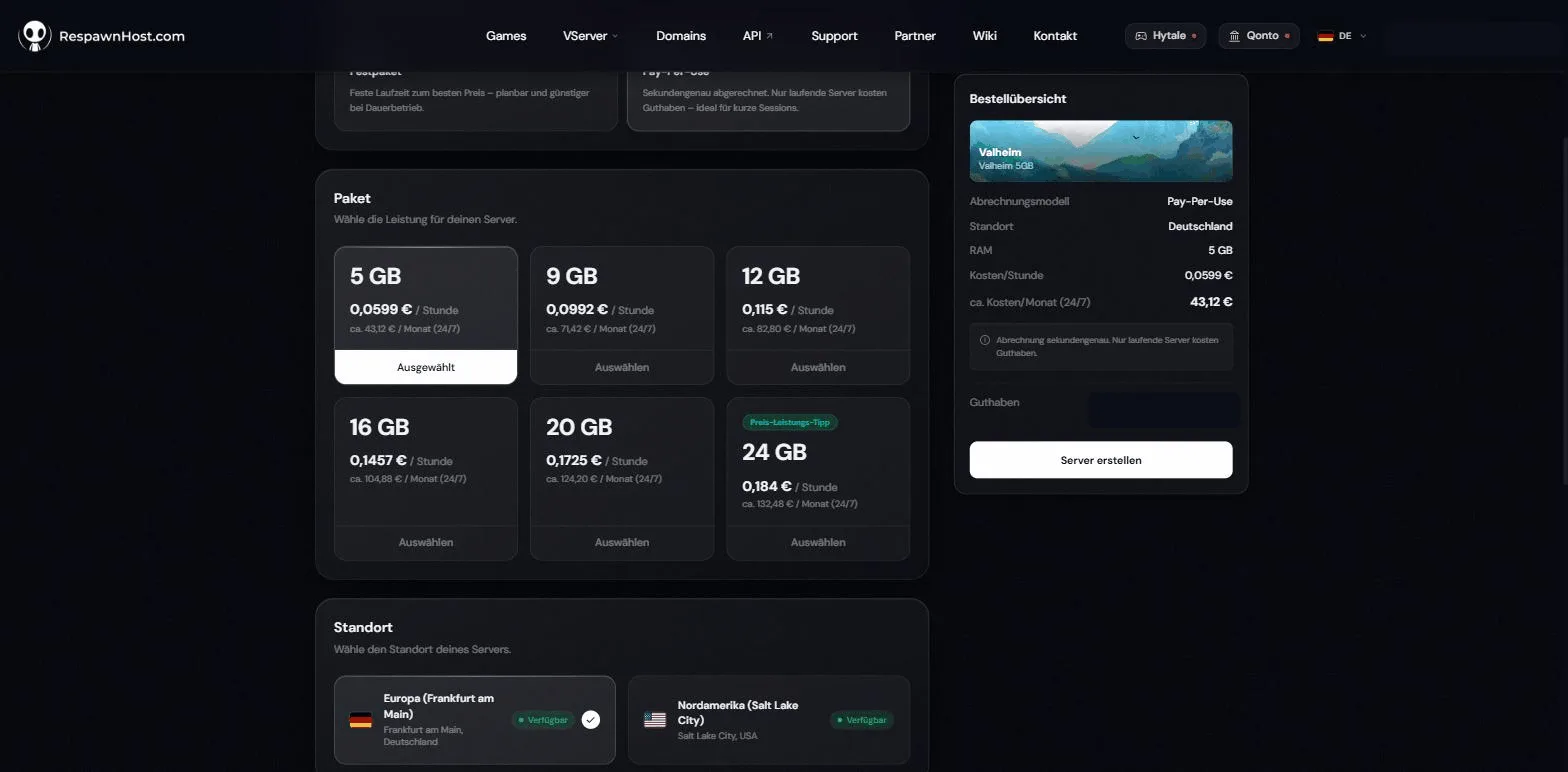
- Open the Valheim order page (or via respawnhost.com/en/valheim-server-hosting).
- Choose prepaid plan (fixed term, cheaper for 24/7) or Pay-Per-Use (per second, ideal for weekend runs).
- Pick a location: Germany (Frankfurt), USA (Salt Lake City and Charlotte) or India (Noida).
The server installs automatically and is ready in under 90 seconds.
Step 2: Basic settings
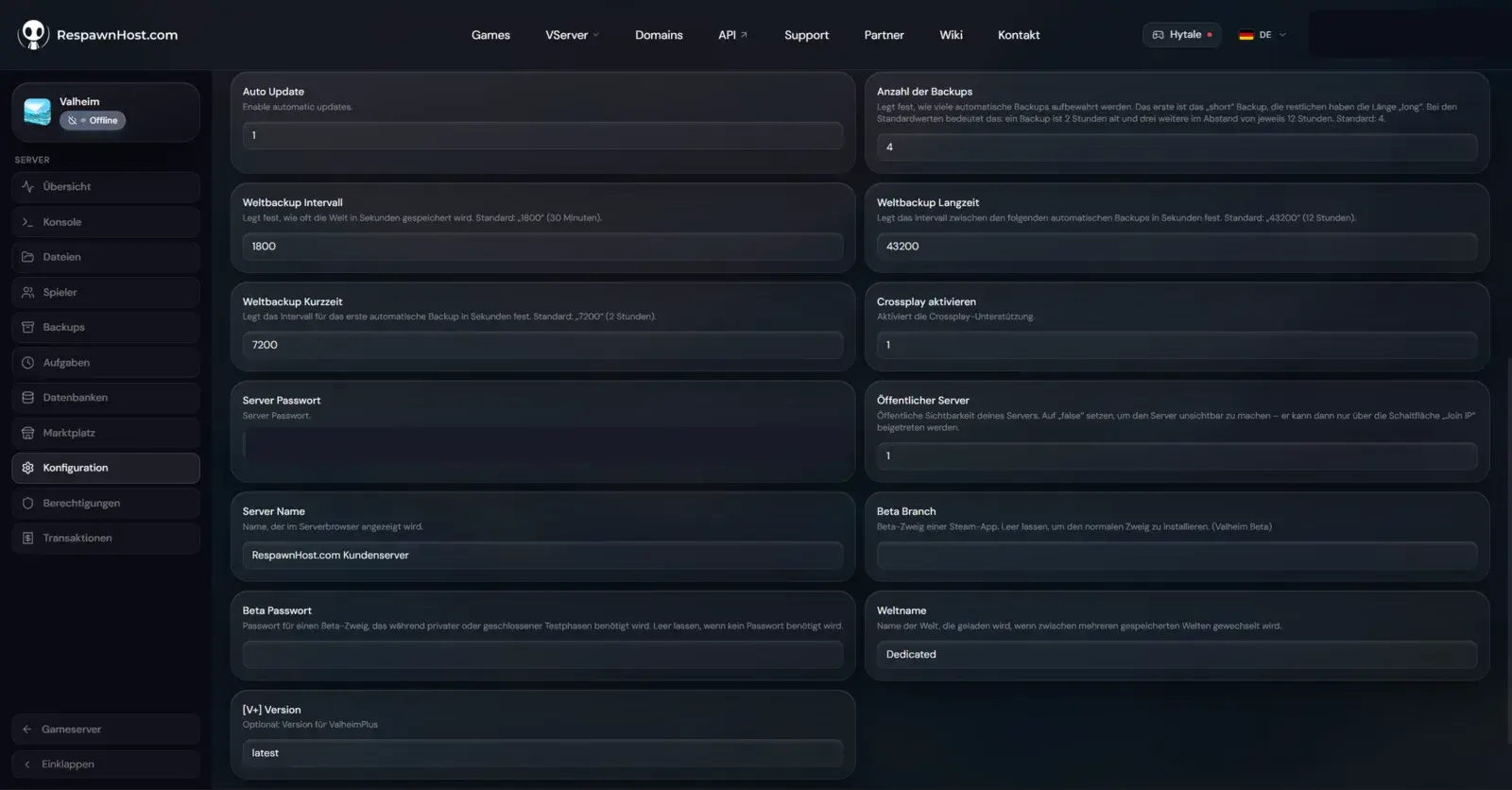
In the panel, set server name, server password (mandatory in Valheim — securely pre-filled for you), world name and public visibility via the startup variables. Automatic world backups (interval & count) and an optional ValheimPlus version are configured right there too. Then start the server.
Step 3: Connect
Steam (PC): In-game Join Game → via server browser or directly via IP:port (shown in the panel). Alternatively in Steam: View → Game Servers → Favorites → add the server IP.
Crossplay: Valheim supports crossplay via the PlayFab backend (e.g. with Game Pass/Microsoft Store players). At RespawnHost this is controlled by the “Enable crossplay” startup variable — it’s on by default. Set to 0, the server is Steam-only.
Note
Valheim has a hard limit of 10 players per server — going higher requires mods that raise the cap (at your own risk, can get unstable).
Bringing your own world from your PC
Your local world lives at %USERPROFILE%\AppData\LocalLow\IronGate\Valheim\worlds_local\ (two files: .db and .fwl). Upload both via the panel’s file manager into the server’s worlds folder and set the world name in the startup variables — the server loads your world on the next start.
Tip
Create a backup in the panel before importing a world — and only upload while the server is stopped.
FAQ
What does a Valheim server cost? The entry plan has 2 GB RAM. Whether it fits your world depends on players, builds and mods. Compare prepaid plans, Pay-per-Use and current prices on the Valheim server page. Use the memory guide to choose a plan.
Does the world keep running when nobody is online? The world persists, but simulation (e.g. crop growth) only advances while players are online — that’s standard Valheim behavior.
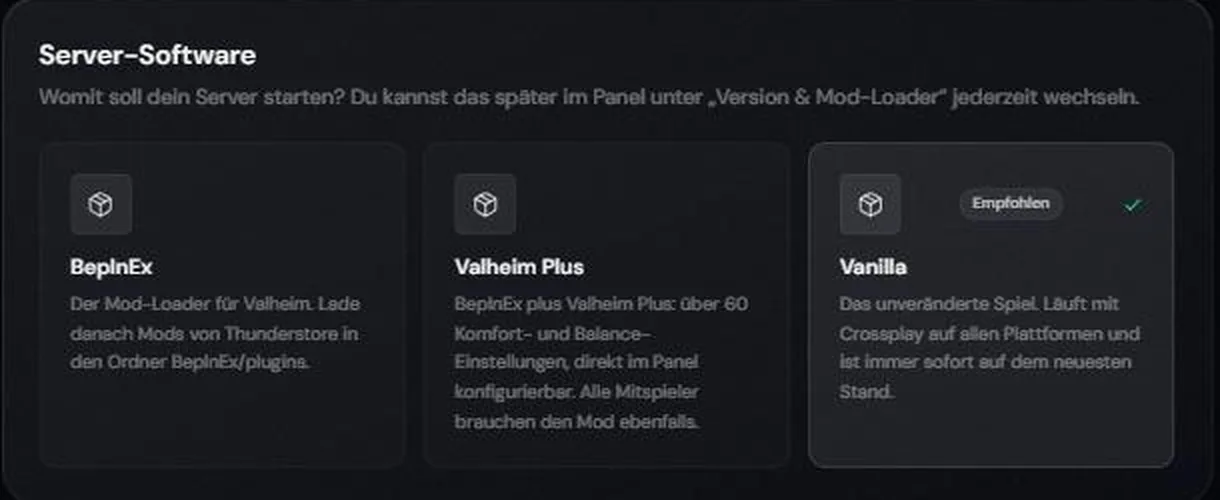
Can I install mods? Yes, via BepInEx through the file manager/SFTP. All players need the same mods client-side — see installing mods.
Next steps
- Configuring your server — startup variables, backups & world modifiers
- How much RAM do I need? — package recommendations (5–24 GB)
- Installing mods — BepInEx & ValheimPlus
- Admin commands & console — kick, ban & more
- Transferring a world — bring your local world to the server
- Setting up crossplay — PC & Xbox together
Ready for Valhalla? Rent a Valheim server — online in under 90 seconds.
Your own Valheim server?
At 3 hours a day that is about €2.27 a month. Billed by the second: server off, costs off.
- No subscription, no minimum term
- Balance does not expire while your account exists
- Online in under 90 seconds