

Wiki & Guides
Palworld
Survival · Monster Taming · Pocketpair
Palworld Admin Commands: The Complete List
All official Palworld server commands with syntax: become admin, kick/ban players, teleport, save, shutdown — including RCON notes.
Last updated July 10, 2026 · RespawnHost
On this page
Becoming admin
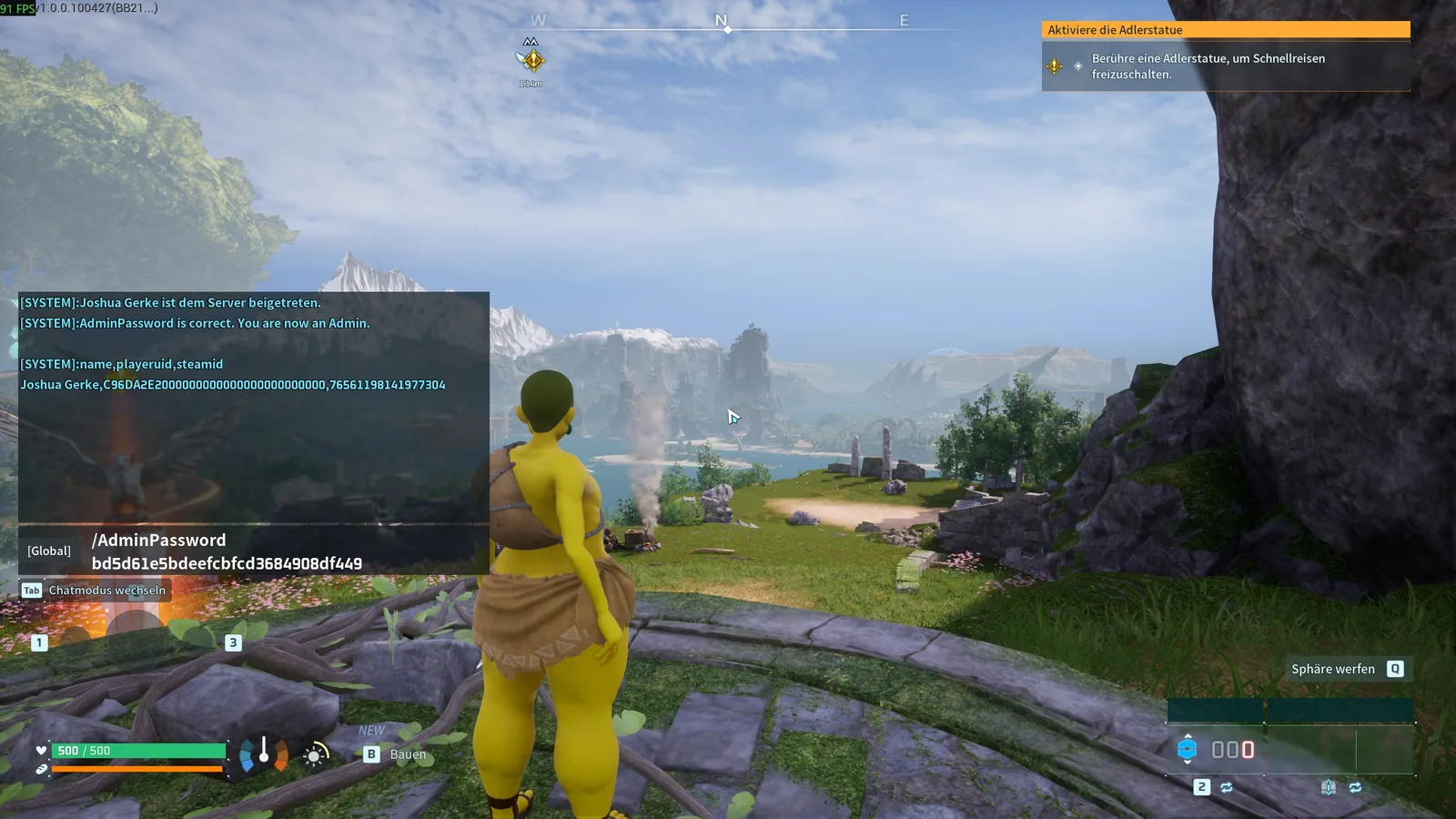
You need a set admin password (at RespawnHost it’s a startup variable in the panel, see server setup). Then open the in-game chat (Enter) and type:
/AdminPassword YOURPASSWORDAll admin commands are now available to you.
All official commands
Source: official Palworld server documentation (as of 1.0).
| Command | Effect |
|---|---|
/AdminPassword {password} | Obtain admin rights with the password |
/Shutdown {seconds} {message} | Shut down the server after a countdown, message to all players |
/DoExit | Stop the server immediately (no countdown) |
/Broadcast {message} | Send a message to all players |
/KickPlayer {SteamID} | Kick a player from the server |
/BanPlayer {SteamID} | Ban a player |
/UnBanPlayer {SteamID} | Lift a ban |
/TeleportToPlayer {SteamID} | Teleport yourself to a player |
/TeleportToMe {SteamID} | Teleport a player to you |
/ShowPlayers | Show all connected players with SteamID |
/Info | Show server information |
/Save | Save world data immediately |
/ToggleSpectate | Toggle admin spectator mode |
Tip
Get a player's SteamID via /ShowPlayers.
Practical examples
/Broadcast Server_restart_in_5_minutes
/Shutdown 300 Restart_in_5_minutes
/KickPlayer 76561198000000000
/Save
Notes on RCON
- Via RCON, commands are sent without the leading slash (
Saveinstead of/Save). - Known limitation:
Broadcastvia RCON cuts the message at the first space — use underscores:Broadcast Restart_in_5_minutes. - Important: Pocketpair has officially marked RCON as deprecated — it is scheduled to stop working in an upcoming update. The official successor is the REST API (
RESTAPIEnabled, default port 8212, HTTP Basic auth). For day-to-day admin work, the in-game commands above are all you need.
What does NOT exist
A command like ChangeSettings (changing server settings at runtime) circulates in some guides — it does not exist in the official command list and does nothing. Change settings via the config editor and a server restart.
Related guides
Your own Palworld server?
At 3 hours a day that is about €6.90 a month. Billed by the second: server off, costs off.
- No subscription, no minimum term
- Balance does not expire while your account exists
- Online in under 90 seconds