

Wiki & Guides
Satisfactory
Factory Building · Open World · Coffee Stain Studios · Coffee Stain Publishing
Creating and Setting Up a Satisfactory Server
Create a Satisfactory dedicated server: rent the server, claim it in-game, raise the player limit beyond 4 (MaxPlayers) and use crossplay between Steam & Epic.
Last updated July 13, 2026 · RespawnHost
On this page
Creating a Satisfactory dedicated server
With a dedicated server your factory keeps running 24/7 — even when nobody is online. This guide takes you from ordering through claiming to a raised player limit.
Hardware requirements
| Setup | Recommendation |
|---|---|
| Starting out / early factory | 8 GB RAM (official minimum) |
| Large factories, 4+ players | 16 GB RAM (officially recommended) |
RAM usage grows with factory size — details in What does a Satisfactory server cost?
Step 1: Order and start your server
- Open the Satisfactory order page, pick a package and location — the entry package has 10 GB RAM (comfortably above the official 8 GB minimum).
- Prepaid plan or Pay-Per-Use — popular for Satisfactory, since factories often only grow on weekends.
- Start the server in the panel.
Step 2: Claim the server in-game
- In-game: Server Manager (main menu) → Add Server → enter IP and port from the panel.
- On first connect you claim the server: set a server name and an admin password.
- Then create a session (new world) or upload a savegame — done.
Note
Since version 1.0, Satisfactory uses a unified port 7777 (TCP + UDP) for game traffic and the HTTPS API (the old 15000/15777 ports are gone). Everything is pre-configured at RespawnHost.
Raising the player limit beyond 4 (MaxPlayers)
By default Satisfactory allows 4 players. At RespawnHost the easiest way to raise the cap is the “[Experimental] Max player count” startup variable in the panel — restart the server, done.
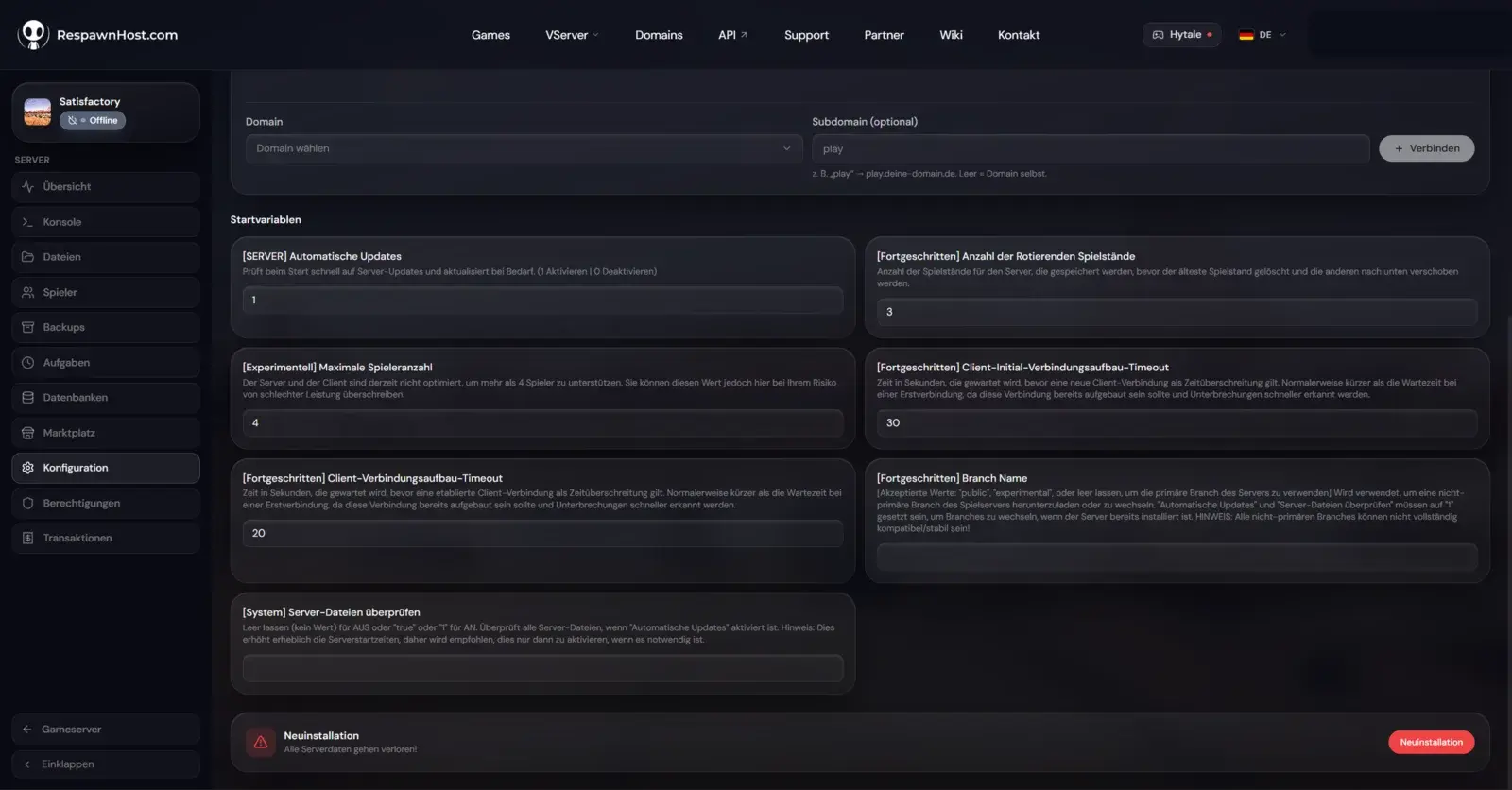
Alternatively, use the classic route via Game.ini under FactoryGame/Saved/Config/LinuxServer/ (file manager; the file is generated on the first server start):
[/Script/Engine.GameSession]
MaxPlayers=8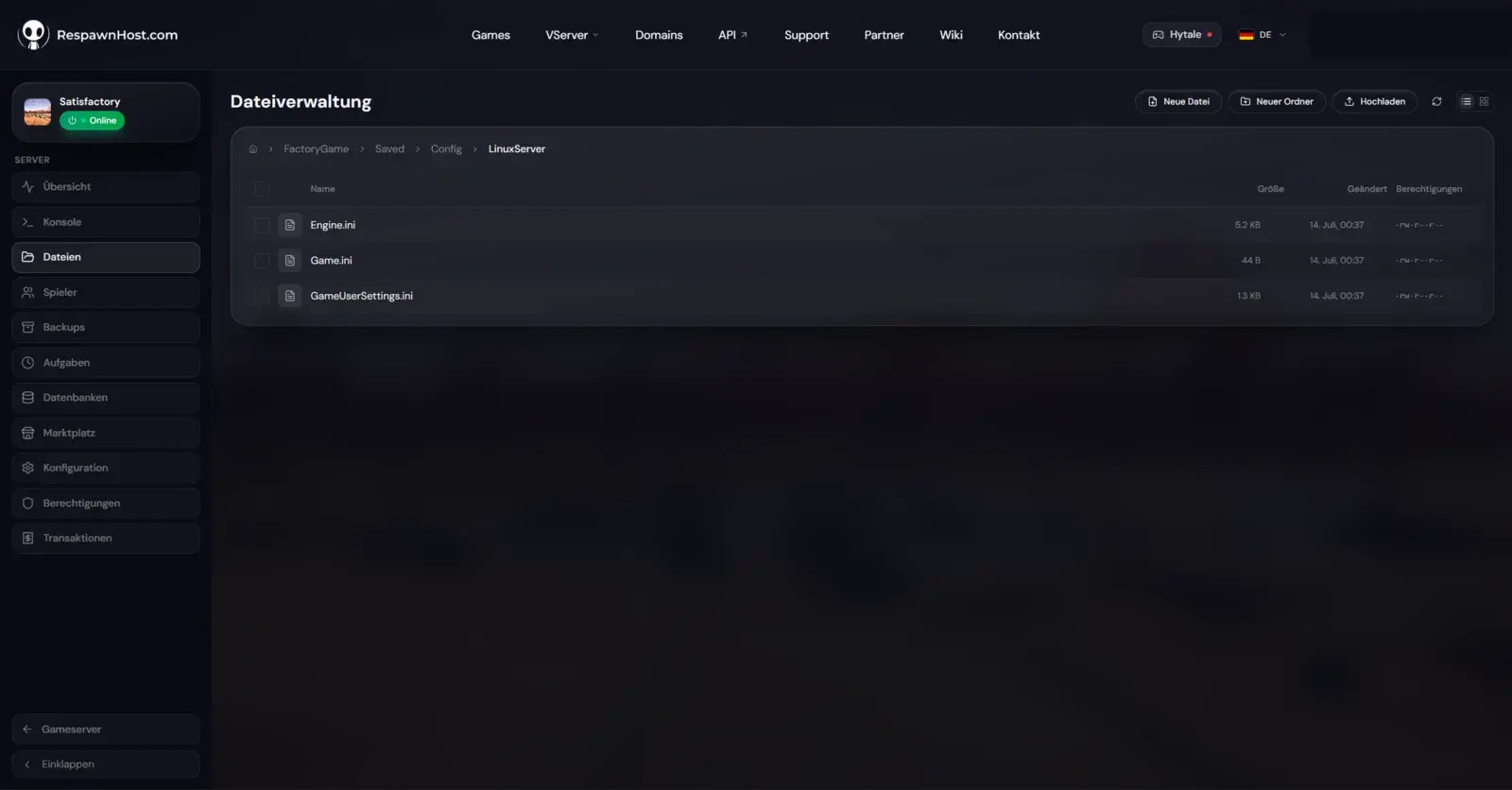
Game.ini under FactoryGame/Saved/Config/LinuxServer/Values up to ~8 usually run fine; beyond that it depends heavily on factory size and hardware — Satisfactory is officially designed for 4 players.
Crossplay: Steam & Epic together
Yes — Steam and Epic players connect to the same dedicated server. Nothing to configure; both versions are compatible.
Tip
Create a backup in the panel before major rebuilds — an accidentally demolished main factory is otherwise gone.
FAQ
Do I need the game on the server? No, the dedicated server is a separate free package (Steam AppID 1690800) — pre-installed at RespawnHost.
Can I bring my co-op savegame?
Yes: upload the savegame in-game via the Server Manager, or place the .sav file into the server’s save folder via the file manager.
Does Steam vs. Epic matter? No, thanks to crossplay. Everyone plays together.
Ready? Rent a Satisfactory server — online in under 90 seconds.
Your own Satisfactory server?
At 3 hours a day that is about €6.47 a month. Billed by the second: server off, costs off.
- No subscription, no minimum term
- Balance does not expire while your account exists
- Online in under 90 seconds