

Wiki & Guides
Palworld
Survival · Monster Taming · Pocketpair
Palworld Crossplay Setup: PC, PS5 & Xbox
Set up Palworld crossplay between PC, PS5 and Xbox — the settings that actually work, and why console players cannot join by IP but only through the community browser.
Last updated July 10, 2026 · RespawnHost
On this page
Palworld crossplay: all platforms, one server
Since version 0.5.0 (March 2025), Palworld dedicated servers support full crossplay — with 1.0 it’s the standard. On your RespawnHost server, these can play together:
- Steam (PC)
- Xbox Series X|S and the Windows PC version from the Microsoft Store / Game Pass
- PlayStation 5
- Mac
At RespawnHost, crossplay is enabled out of the box — nothing to unlock.
Restricting platforms (optional)
If you want to exclude certain platforms, use the Crossplay startup variable in the panel (default: Steam,Xbox,PS5,Mac). Technically this maps to the INI setting:
CrossplayPlatforms=(Steam,Xbox,PS5,Mac)Simply remove the platforms that shouldn’t connect — e.g. Steam,Mac for a PC-only server. Then restart the server.
How players join
PC (Steam/Mac): two ways —
- Community server browser in-game: search for your server name.
- Directly via IP:port (bottom of the multiplayer menu) — IP and port are shown in the panel.
Xbox / PS5 / Game Pass: consoles have no field for direct IP entry. They find your server exclusively via the in-game community server browser. Two consequences:
- Your server must run as a community server — at RespawnHost that’s automatic (our servers start with the
-publiclobbyparameter). - Pick a memorable, easily searchable server name — your console friends have to type it into the search.
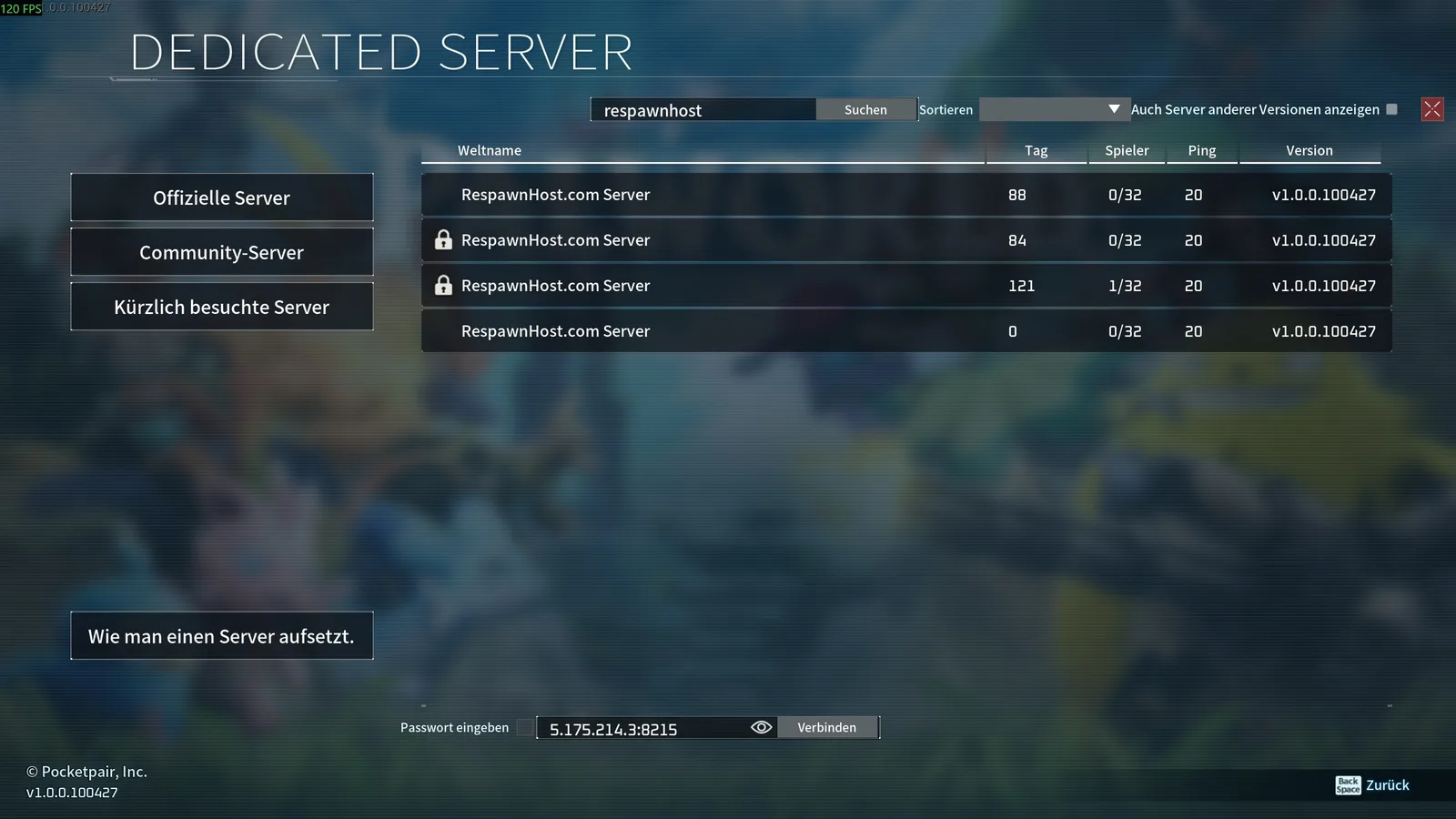
Tip: with a server password your server stays private despite the community listing — only those who know the password get in.
Platform details for your console friends: Rent a Palworld PS5 server · Rent a Palworld Xbox server
FAQ
Are there downsides or limits with crossplay? No — no player-count or feature limitations are documented. The 32-player cap applies regardless of crossplay.
Why can’t my console friend find the server? Usually the server name is too generic (hundreds of results) or the server is offline. Pick a unique name, check the server status in the panel, and type the search exactly.
Do mods work with crossplay? Per the official docs, server-side mods only run on Windows dedicated servers and are generally finicky — see Installing Palworld Mods. Consoles can’t use client mods.
Related guides
- Creating & setting up a server — incl. server name & password
- Configuring your server
Your own Palworld server?
At 3 hours a day that is about €6.90 a month. Billed by the second: server off, costs off.
- No subscription, no minimum term
- Balance does not expire while your account exists
- Online in under 90 seconds