

Wiki & Guides
Palworld
Survival · Monster Taming · Pocketpair
Installing Palworld Mods
How to install mods on your Palworld server at RespawnHost: PAK mods from CurseForge, folder structure, UE4SS notes and what works server- vs. client-side.
Last updated July 10, 2026 · RespawnHost
On this page
Installing Palworld Mods
You download Palworld mods from CurseForge and install them manually via your file manager or SFTP. Unlike Minecraft there is (currently) no one-click installer — Palworld modding is technically too inconsistent for that. This guide shows you the reliable way.
Important: server vs. client mods
Before you start — not every Palworld mod runs on a dedicated server:
- Client mods (most of them): only run in each individual player’s game. On the server they do nothing, and every player has to install them themselves.
- Server mods: only mods whose
Info.jsoncontains"IsServer": truetake effect server-side. Look for “server-side” / “dedicated server support” in the CurseForge description.
Mod types
| Type | Folder | Needs UE4SS? |
|---|---|---|
| PAK / Data / Blueprint | Pal/Content/Paks/ | No — just drop it in |
| Lua Code Mods | Pal/Binaries/Linux/Mods/ | Yes (UE4SS mod loader) |
Installing PAK mods (recommended, easy)
- Download the mod from CurseForge. Make sure it’s a
.pakfile (extract the ZIP if needed). - In the RespawnHost panel, open the file manager (or connect via SFTP).
- Navigate to
Pal/Content/Paks/. - Upload the
.pakfile there. - Restart the server. Done.
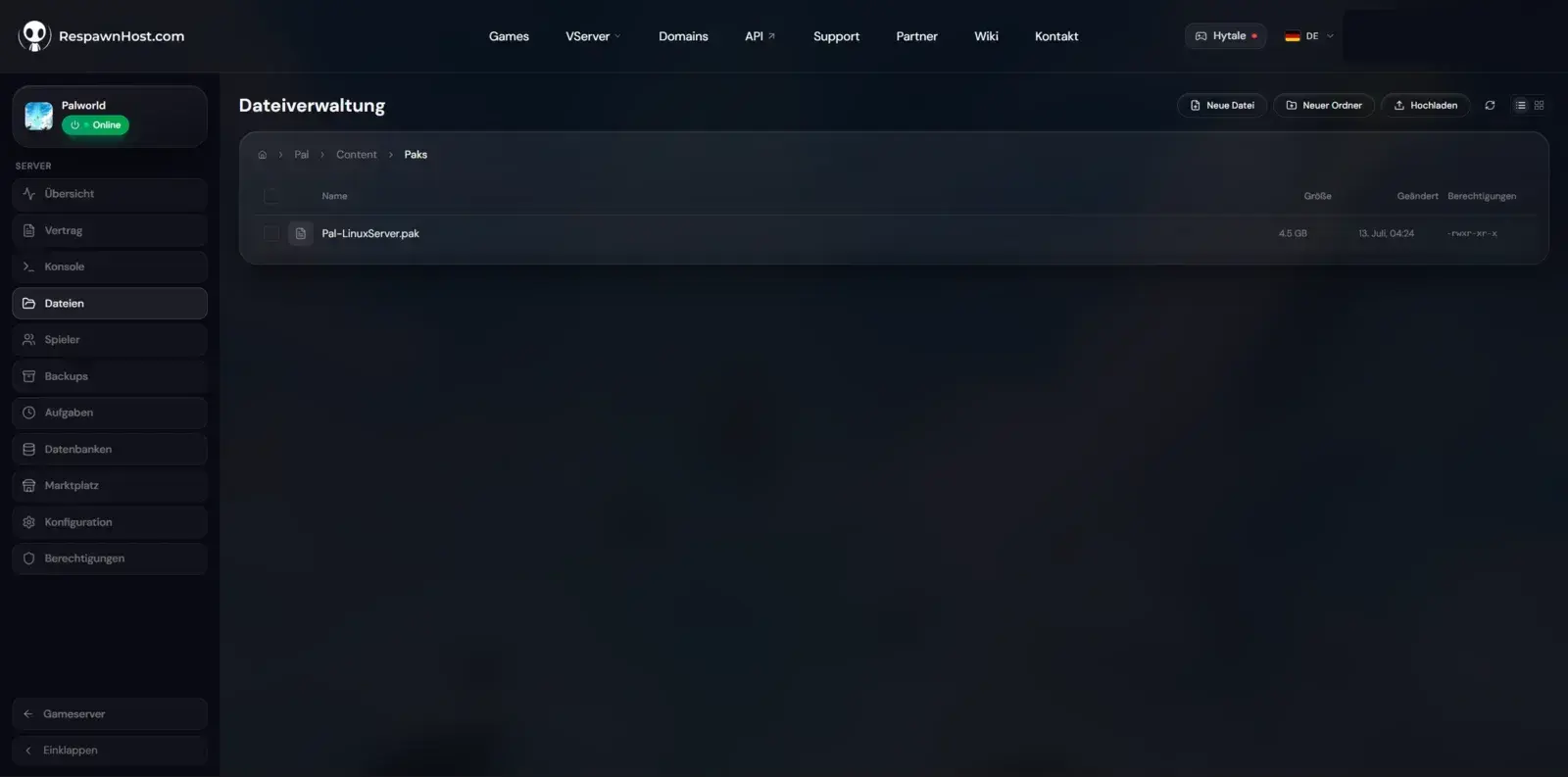
Pal/Content/Paks/ in the file managerTo remove it, just delete the .pak file and restart.
Lua / UE4SS mods (advanced, experimental)
More powerful server mods (e.g. admin tools, server essentials) run through the UE4SS mod loader. On Linux servers UE4SS is experimental (runs via Proton/Wine) and doesn’t work with every mod.
- Extract UE4SS (Linux build) into
Pal/Binaries/Linux/. - Place the Lua mod into
Pal/Binaries/Linux/Mods/. - Restart the server and check the log to see whether UE4SS and the mod loaded.
Warning
If a mod won't start or crashes the server, remove it again — not every UE4SS mod is Linux/server compatible. Create a backup first.
FAQ
Why does nothing happen after installing a mod?
Most likely it’s a client mod — it only affects the player’s game, not the server. Check whether the mod supports “server-side” / IsServer: true.
Do my friends need to install the mods too? For client mods, yes — everyone needs the same mod version. Pure server-side PAK mods only run on the server.
Do mods survive an update?
Yes, your files in Pal/Content/Paks/ stay. After big game updates a mod may become incompatible, though — then grab an updated version.
Don’t have a server yet? Rent a Palworld server — 1.0-ready, online in under 90 seconds.
Your own Palworld server?
At 3 hours a day that is about €6.90 a month. Billed by the second: server off, costs off.
- No subscription, no minimum term
- Balance does not expire while your account exists
- Online in under 90 seconds