

Wiki & Guides
SCUM
Survival · Open World · Gamepires
SCUM Save Game & Backups: Securing and Moving the SCUM.db
The entire SCUM save lives in one SQLite database: back up, restore and move the SCUM.db to another server — step by step.
Last updated July 14, 2026 · RespawnHost
On this page
Where is the SCUM save stored?
Unlike many survival games, SCUM stores everything in a single SQLite database: world, bases, vehicles, characters and progression. On the server it lives at:
SCUM/Saved/SaveFiles/SCUM.dbTwo companion files created by SQLite at runtime belong to it:
| File | Purpose |
|---|---|
SCUM.db | The database — the entire save |
SCUM.db-wal | Write-ahead log (changes not yet merged) |
SCUM.db-shm | Shared memory file of the WAL mode |
Warning
The three files always belong together. Never copy or delete just the SCUM.db while -wal/-shm stay behind — you'd lose recent changes or corrupt the save. And: always stop the server before touching the files.
Creating a backup
Option 1 — panel backups (recommended): In the RespawnHost panel you can set up manual and automatic backups — e.g. daily or before every update.
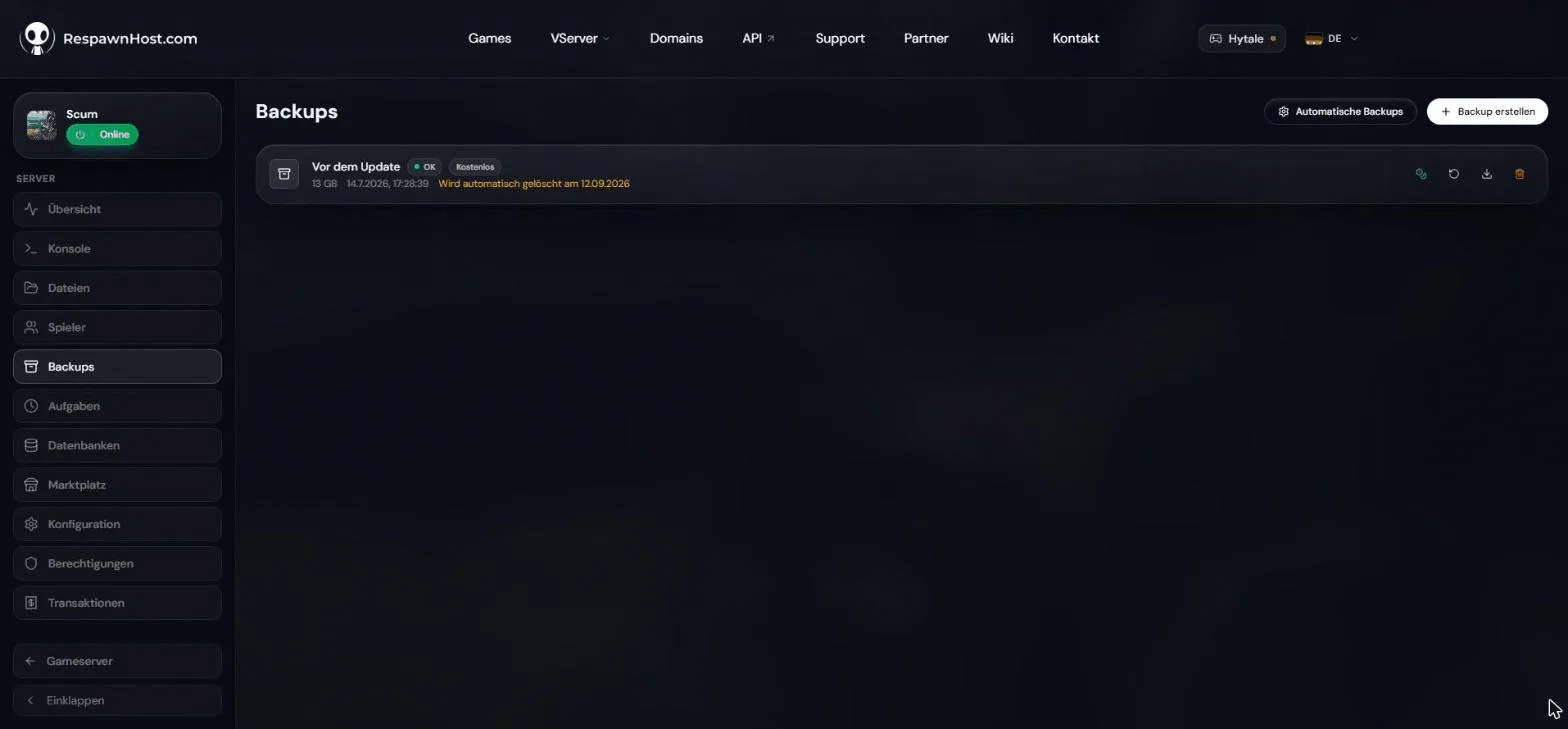
Option 2 — by hand:
- Stop the server.
- Navigate to
SCUM/Saved/SaveFiles/in the file manager (or via SFTP). - Download
SCUM.db,SCUM.db-walandSCUM.db-shm.
Restoring a backup
- Stop the server.
- Delete (or rename) the existing
SCUM.db,SCUM.db-walandSCUM.db-shm. - Upload your backed-up files.
- Start the server — the old state is back.
Moving server → server
Migrating from another host to RespawnHost (or between two servers) is the same procedure: download the database files from the old server, upload them to SCUM/Saved/SaveFiles/ on the new one, start. The world and all characters move together — players keep their progress because their data is tied to their SteamID64.
It’s also worth taking the folder SCUM/Saved/Config/WindowsServer/ with you (ServerSettings.ini and the user lists).
Can I move my single-player save to the server?
Not officially. Single-player mode also uses a SCUM.db, but there is no official import feature and no Gamepires-confirmed procedure for transferring it to a dedicated server. Since world and player data live in one database, cleanly “taking just your character” isn’t possible either. If you try anyway (at your own risk): back up both sides first.
Frequently asked questions
How big does the SCUM.db get? It grows with bases, vehicles and player count — from a few MB on a fresh server to several GB on large community servers.
Can I extract individual players or bases from a backup? Not without direct SQL surgery on the database — there are no official tools for that. In practice: a backup is always restored as a whole.
What happens during a wipe? The database files get deleted and the server generates a fresh world — details in wiping your server.
Related guides
- Wiping your server — restarting with a fresh world
- Creating and connecting to your server — basics
- Configuring your server — ServerSettings.ini
Your own SCUM server?
At 3 hours a day that is about €10.13 a month. Billed by the second: server off, costs off.
- No subscription, no minimum term
- Balance does not expire while your account exists
- Online in under 90 seconds